
Summary: When a Vauxhall IntelliLink screen goes black while the music plays on, flickers, or stops answering your finger, the fault is usually in the display itself, and a reset will not hold it off for long. When the whole system is dead, keeps blowing its fuse or freezes, the sat nav unit behind it is the likelier culprit. Your garage removes the failed part and posts it to us; we prove the fault under power, repair your own screen or unit and send it back with a lifetime, unlimited-mileage warranty.
This page starts from what your Vauxhall is doing and works out which part has failed, with a straight answer on what a reset can and cannot fix. Other makes and systems are listed with our car sat nav and media unit repairs.
- What we repair: Astra K Navi 900 screens (2016–2019) and Corsa E sat nav units (2014–2019)
- Typical faults: black screen with sound still playing, flicker and lines, dead or ghost touch, a dead unit, a fuse that keeps blowing, freezing
- Other Vauxhalls: confirmed from the part number on the unit label
- How it is tested: under power on a Hardware-in-the-Loop rig
- On return: your own part, settings intact, normally no coding
- Warranty: lifetime, unlimited mileage
Which IntelliLink or Navi system is in your Vauxhall?
IntelliLink is a name, not a part. Vauxhall used it as a catch-all for a family of infotainment systems, and newer models have since moved on to a different system. Two cars of the same model can therefore carry different hardware depending on year and trim, and which one yours has decides what comes out of the car.
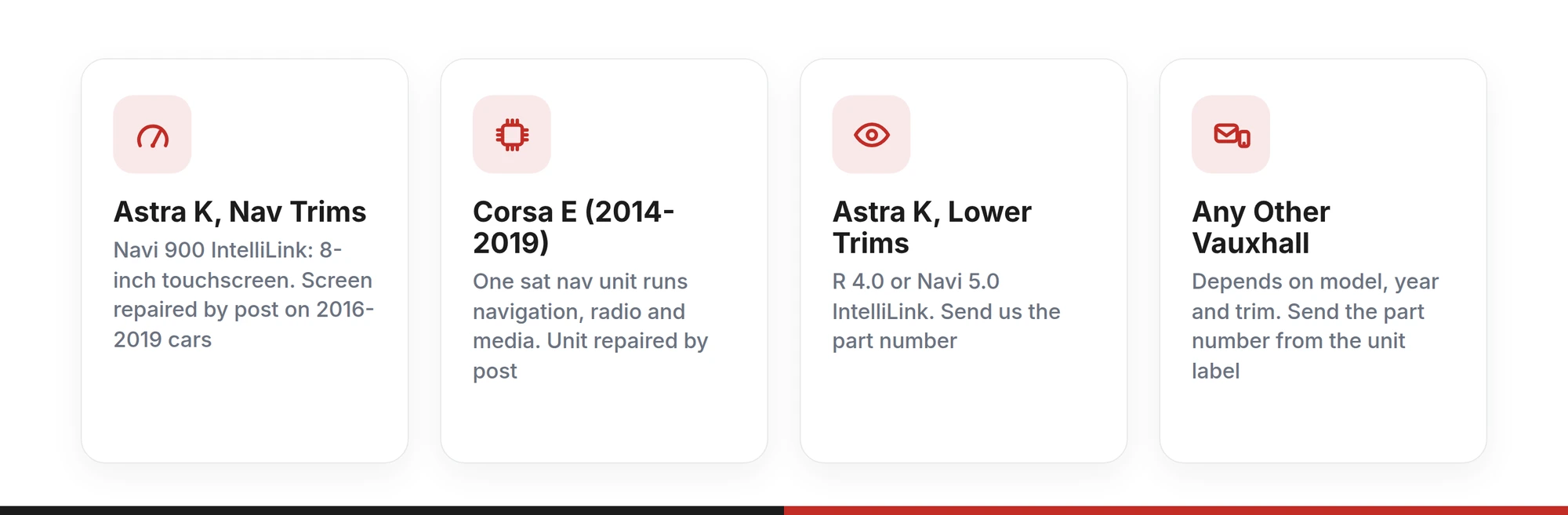
| Car | System fitted | With us |
|---|---|---|
| Astra K (2015–2021), Nav trims | Navi 900 IntelliLink: an 8-inch touchscreen with flat glass and silver accents at the sides, fitted as standard on Tech Line, SRi Nav and Elite Nav | Navi 900 screen repaired by post on 2016–2019 cars |
| Astra K (2015–2021), lower trims | R 4.0 IntelliLink or Navi 5.0 IntelliLink, smaller units | Send us the part number |
| Corsa E (2014–2019) | A sat nav unit that runs the navigation, radio and media | Unit repaired by post |
| Astra L (2022 on) | A later system from after the Stellantis takeover, not GM IntelliLink | Send us the part number |
| Any other Vauxhall | Depends on model, year and trim | Send us the part number |
The two lines we repair most are listed on their own pages: the Vauxhall Astra K Navi 900 (2016 – 2019) Screen and the Vauxhall Corsa E (2014-2019) Satnav. For anything else, take the part number from the label on the unit, or ask your garage to, and send it with the model and year. We confirm the part before it is removed.
If another car in the household has a dark screen too, the same bench process covers Audi MMI, BMW iDrive, Volkswagen RNS510 and RNS810 navigation and the Fiat 500 Blue&Me module.
Is it the screen or the unit behind it?
Start with what still works. If the radio or your music carries on while the picture has gone, the system behind the screen is running and the display is where the fault sits. If picture and sound have gone together, power and the unit itself come first.
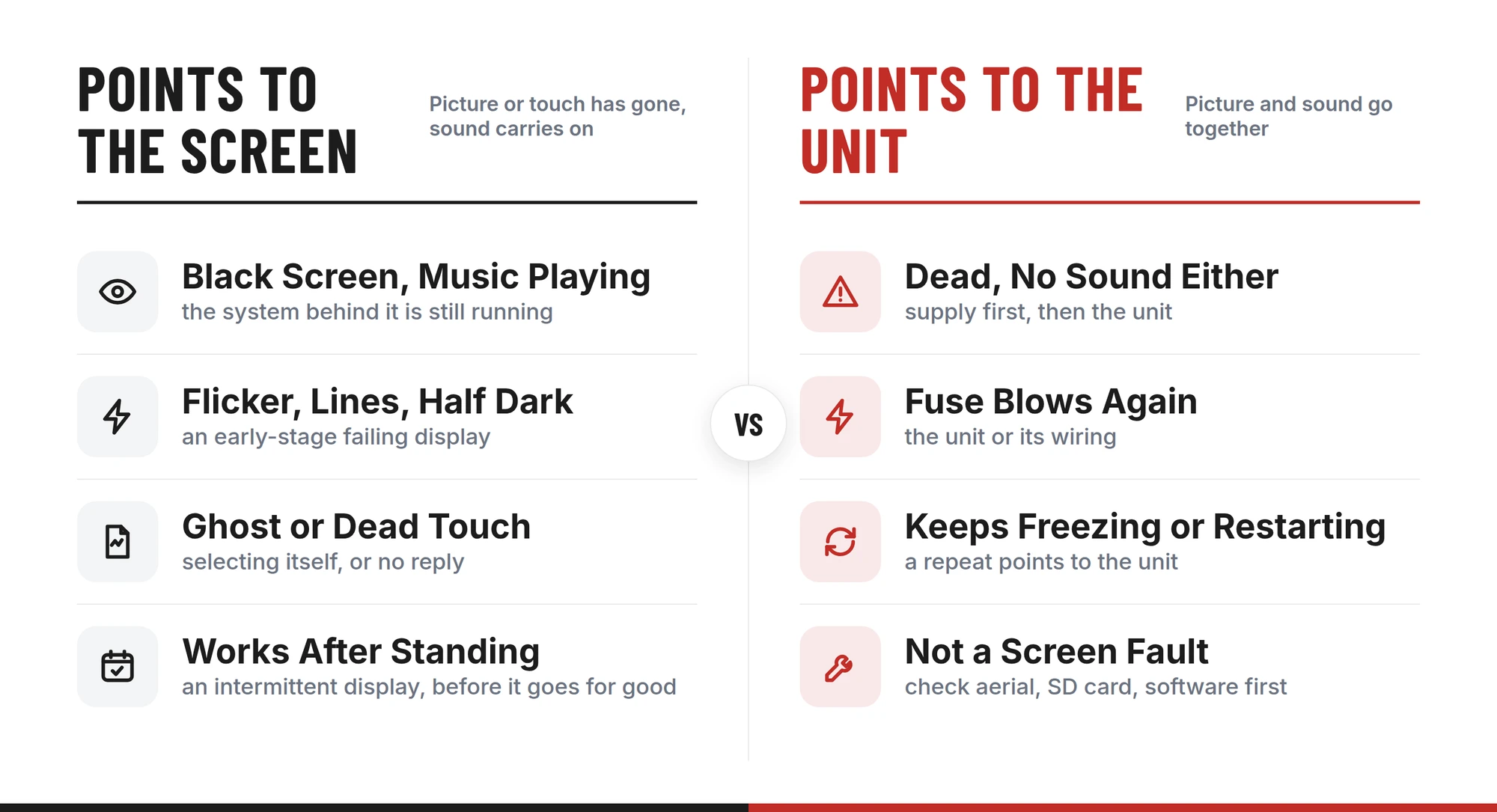
Each row below pairs a symptom with its likely cause and the sensible next step.
| What your Vauxhall is doing | Most likely cause | What to send, or check first |
|---|---|---|
| Screen black, radio or music still playing | The display (Astra K Navi 900) | The Navi 900 screen |
| Flickering, flashing, or half the screen dark | The display, usually in the early stage of failing | The screen |
| Lines or pixelation across the picture | The display | The screen |
| Touch ignored, picture fine | The touch side of the screen | The screen |
| Items selecting themselves, or settings such as the language changing unprompted | Ghost touches from a failing touch screen | The screen |
| Screen works again only after the car has stood for a while | A display failing intermittently | The screen, before it goes for good |
| Screen dark and no sound either | The supply first, then the unit | Fuses and battery voltage first |
| Corsa E sat nav completely dead, no power | The sat nav unit, once the supply is ruled out | The unit |
| Radio fuse blowing again as soon as it is replaced | The unit or its wiring | Wiring and connectors checked, then the unit |
| Freezing or restarting on its own | Software if it happens once; the unit if it keeps happening | A restart, then the unit |
| No GPS position or maps not loading, picture and touch fine | GPS aerial connection, map SD card or software | Those first; this is not a screen fault |
Map and position faults are worth singling out because they are so often blamed on the screen. If the picture is clear and answers your touch but the car cannot place itself on the map, the screen is doing its job, and the aerial connection, the SD card or the software is the place to look.
Will a reset fix IntelliLink, or is it a hardware fault?
Sometimes, and it helps to know which time is which. A restart reloads the system software, so it can clear a screen that has frozen mid-task or stopped responding after a glitch. Vauxhall publishes an infotainment manual for each model, and the soft reset it describes takes seconds and changes nothing, which makes it a fair first check.
What a restart cannot do is mend failed hardware. A display that has gone dark with the music still playing, shows lines, flickers or touches things by itself has a physical fault. A restart may bring the picture back for a journey or two, but the fault is still there.
- Points to software. A one-off freeze that clears after a restart and stays cleared, or a glitch that a dealer software update removes.
- Points to hardware. The same fault returning after every restart, a black picture with sound still playing, flicker, lines or half the screen dark, ghost touches, or a fuse that blows again as soon as it is replaced.
A factory reset is a different step. It erases paired phones and saved settings, and it does nothing for a hardware fault, so if the symptoms in the second group are already showing, wiping the system only loses you your settings.
Astra K Navi 900: why does the screen fail while the system keeps working?
On an Astra K with Navi 900 IntelliLink, the touchscreen is the only way into navigation, media, phone and vehicle settings. When it fails, the system behind it can be perfectly healthy and still unusable, which is why owners describe music playing to a black screen.
The fault is well documented on 2016 to 2019 cars and rarely arrives all at once. It tends to start as a flicker or a flash, moves on to half the display going dark or lines across the picture, and ends with a screen that stays black. Some screens come back after the car has stood for a while, which feels like a recovery but is the same fault showing intermittently.
The touch side fails in its own way. Either the screen stops answering your finger, or it starts selecting items you never touched, and settings, including the display language, change on their own. Both are faults in the screen rather than the system, and both are covered by the Navi 900 screen repair.
On our bench the screen is powered up and checked for picture quality and touch response twice: before any work, to confirm the fault, and after, to prove the repair.
Corsa E sat nav: dead units, blowing fuses and freezes
The Corsa E works differently from the Astra K. One unit runs the navigation, the radio and the media, so an electrical fault inside it does not just lose the map; it can silence the dashboard entirely.
The faults we see are a unit with no power at all, a radio fuse that keeps blowing, a blank screen with no sound, and a unit that freezes or restarts by itself. Lost GPS position and maps that will not load turn up as well, though those are the symptoms most likely to have a cause outside the unit.
The fuse is the best clue. One that blows once can be a one-off. One that blows again the moment it is replaced means something on that circuit is drawing more current than it should, and that is the unit or its wiring. Have the wiring and the connectors behind the unit checked, then send us the unit.
On the bench, the Corsa unit is checked for power-up and current draw, then for every function, before it leaves us.
What makes IntelliLink screens and units fail?
Most IntelliLink faults come back to the conditions these parts work in:
- Heat. Screen and unit sit in the dashboard, warmed by the cabin on every drive and on every day parked in the sun, in a space with little room for heat to escape.
- Age and constant use. Both are switched on for every journey and carry navigation, audio and phone together, and electronics worked that hard wear.
- Vibration. Road vibration works on everything mounted in the dash, and it can turn a marginal fault into an intermittent one.
- Power faults. Electrical load, low battery voltage and supply problems put strain on the unit, and a weak one may not come back from them.
Low battery voltage rarely troubles the infotainment alone. If your Astra is showing other warnings at the same time, our guide to Vauxhall Astra warning lights explains what they are telling you.
Sinspeed · Vauxhall infotainment repairs
Tell us what still works, and we will tell you what to sendGive us the model, the year and what the picture, touch and sound are doing. If it is not an Astra K or a Corsa E, add the part number from the unit label.
Fault confirmed under power first · Your own part returned · Lifetime warranty
Why send your own screen or unit rather than buy a replacement?
Your screen or unit already belongs to your car. Repaired, it goes back in with its settings intact, and normally there is no coding to arrange. Where the fitting garage does need to code or set something up, that is part of fitting it, as with any electronic part.
A like-for-like replacement shares the design of the part that failed and goes back into the same heat behind the same dashboard. Repairing your own part deals with the fault it actually has, and testing under real-world conditions shows it is sound before it comes back.
Bench testing also settles whether the part was ever the problem. If your screen or unit proves healthy under power, the fault lies in the supply, the wiring or the software, and you know that before anything new has been bought.
From removal to refit: how the IntelliLink repair runs
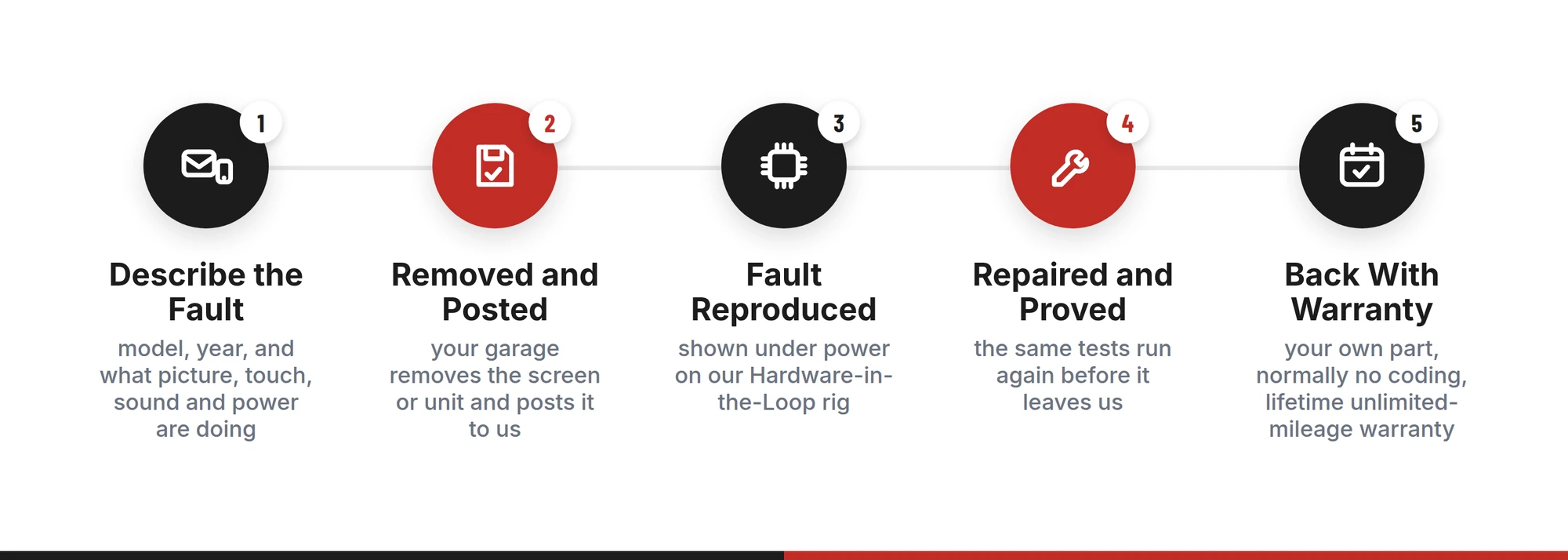
- Describe the fault
Use the repair form to give the model, the year and which of picture, touch, sound and power still work. Mention anything that changes it, such as the screen returning after the car has stood.
- Removed and posted
Your garage takes the screen or unit out, or you can if you are comfortable removing dashboard trim. Pack it well and post it to us.
- Fault reproduced under power
In our ESD-safe workshop the part goes onto a bespoke Hardware-in-the-Loop rig that simulates real-world heat, vibration and load. The reported fault has to show itself there before any work begins.
- Repaired and proved
The confirmed fault is repaired and the same tests run again: picture and touch response for a screen, power-up, current draw and every function for a unit.
- Back in the car
It comes back ready to refit, normally with no coding required, and covered by a lifetime, unlimited-mileage warranty.
Vauxhall IntelliLink repair: common questions
Sinspeed · IntelliLink screens and sat nav units
Get your own IntelliLink working againBook the screen or unit in on the repair form, or contact us first if your Vauxhall is not an Astra K or Corsa E, or you are not sure which part has failed.
Hardware-in-the-Loop testing · ESD-safe workshop · Lifetime, unlimited-mileage warranty
Final thoughts
An IntelliLink screen that has gone black, flickers or presses buttons by itself has a hardware fault, and a reset only delays the moment you see it again. Knowing whether it is the screen or the unit behind it means the right part comes out of the car first time.
Repaired rather than replaced, your own part goes back with its settings intact and a lifetime, unlimited-mileage warranty behind it.